

Understanding SPF results—softfail, fail, and neutral—is crucial for email authentication and domain security in 2026. These outcomes directly influence email deliverability and how receiving servers treat messages sent from a domain. As organizations rely heavily on email communication, distinguishing between these SPF results can help avoid domain spoofing and improve overall email security. This article explores each SPF result, their implications at the protocol level, how to confirm specific causes, and what happens when standard fixes fail.
SPF (Sender Policy Framework) evaluates if an email originates from an IP address authorized by the domain’s DNS SPF records. Unlike visible headers, SPF checks the MAIL FROM or sometimes the HELO identity in SMTP transactions, not the RFC 5322 From header that users see. This distinction is essential because SPF results may indicate authorization status without guaranteeing sender alignment. DMARC later correlates SPF results with the visible From header to strengthen authentication.
Understanding SPF softfail: What it means and how to confirm
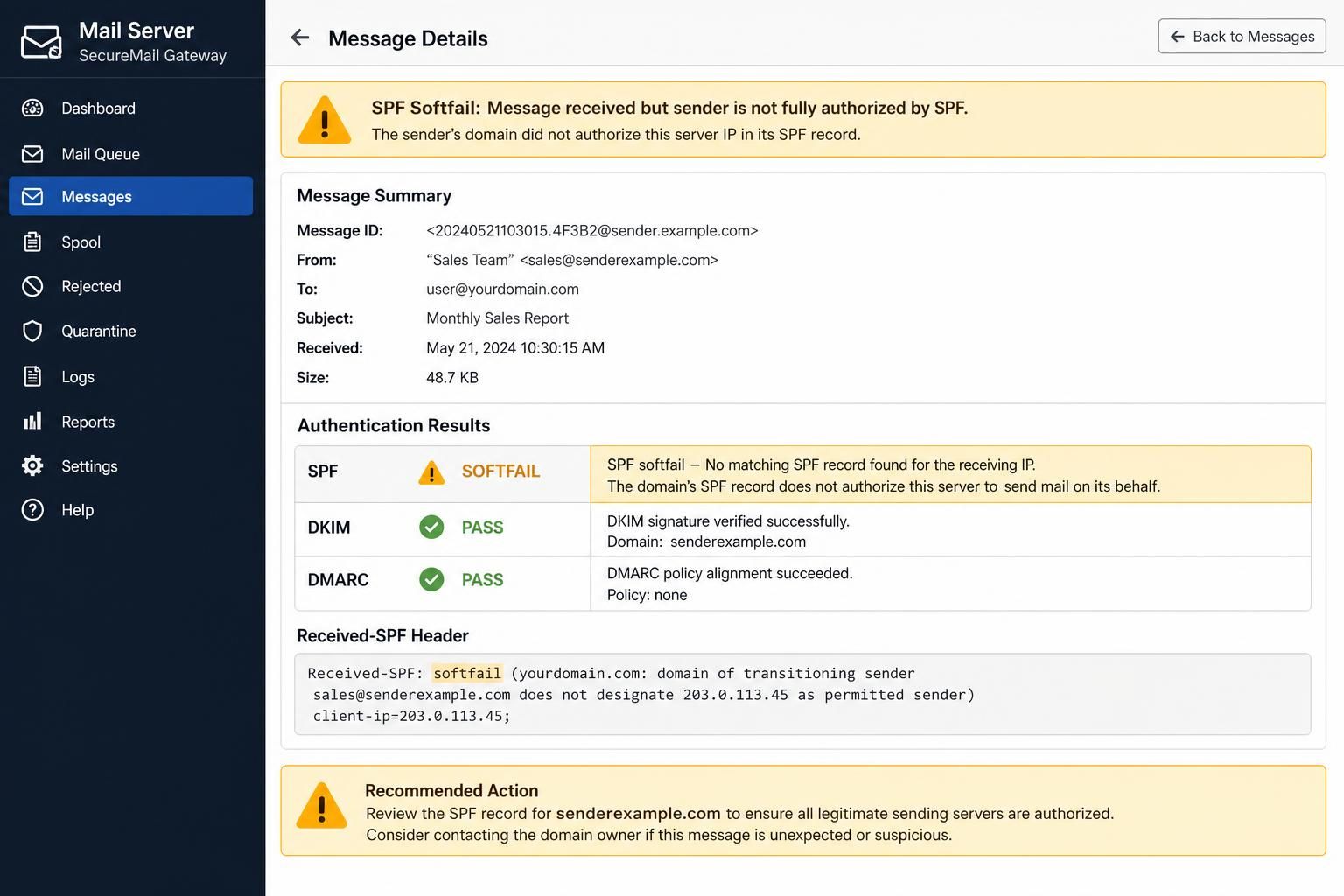
The message “SPF softfail” indicates an email was sent from a server not explicitly authorized in the domain’s SPF record, but the domain owner hasn’t fully rejected such mail. At the protocol level, the SPF record contains a ~all qualifier, signaling a softfail, meaning “probably not authorized.” Receiving servers may accept the email but often flag it as suspicious or direct it to the spam folder.
To confirm if an email triggers SPF softfail, check the DNS SPF record for the domain, specifically looking for the ~all at the end of the policy. The receiving mail server’s debug output will also mention spf=softfail within the Authentication-Results header, indicating the softfail status.
This occurs commonly during SPF deployment or when domains want to monitor unauthorized sending without risking immediate rejection of legitimate emails due to incomplete SPF listings. For example, a domain’s SPF record might include:
v=spf1 include:spf.protection.outlook.com ~all
This authorizes Microsoft 365 mail servers but softfails others. In practice, the softfail policy allows mail flow but alerts receivers to treat such emails cautiously.
Softfail serves well during transitional phases, helping domain owners identify unlisted sending services without breaking email delivery. The critical test distinguishing softfail from fail is the presence of the tilde (~) qualifier versus a minus (-) qualifier and the handling of the email. Softfail usually results in acceptance with warnings rather than outright rejection.
What SPF fail (hardfail) means and how to detect it
Unlike softfail, an “SPF fail” or hardfail signals that an email was sent from a source explicitly prohibited by the domain’s SPF DNS record. This is reflected by the -all qualifier at the end of the SPF policy, and it instructs receiving servers to reject or discard messages that do not match allowed IP addresses.
An SPF hardfail indicates a stronger trust boundary, often leading to immediate message rejection, which drastically affects email deliverability. This is crucial for domains wanting to actively prevent spoofing and phishing attacks, especially for high-profile brands and organizations handling sensitive data.
Detecting a hardfail involves looking at mail headers for spf=fail in Authentication-Results. A typical SPF record with hardfail looks like:
v=spf1 ip4:192.168.0.1 -all
This explicitly authorizes only the IP address 192.168.0.1 to send mail for the domain. Any other IP will trigger fail, and the receiving server is recommended to reject it.
To distinguish a hardfail from other SPF results, test cases involve sending emails from IP addresses outside the SPF record and monitoring whether they’re rejected or accepted but flagged. This test contrasts with softfail, where emails might still be delivered despite failing the SPF check.
As of 2026, many major inbox providers enforce DMARC policies that complement SPF fail, ensuring spoofed or unauthorized mails are rejected or quarantined before reaching user inboxes. However, this strictness can backfire if legitimate sources are missing from the SPF record, which must be meticulously maintained.
Interpreting SPF neutral results and their implications
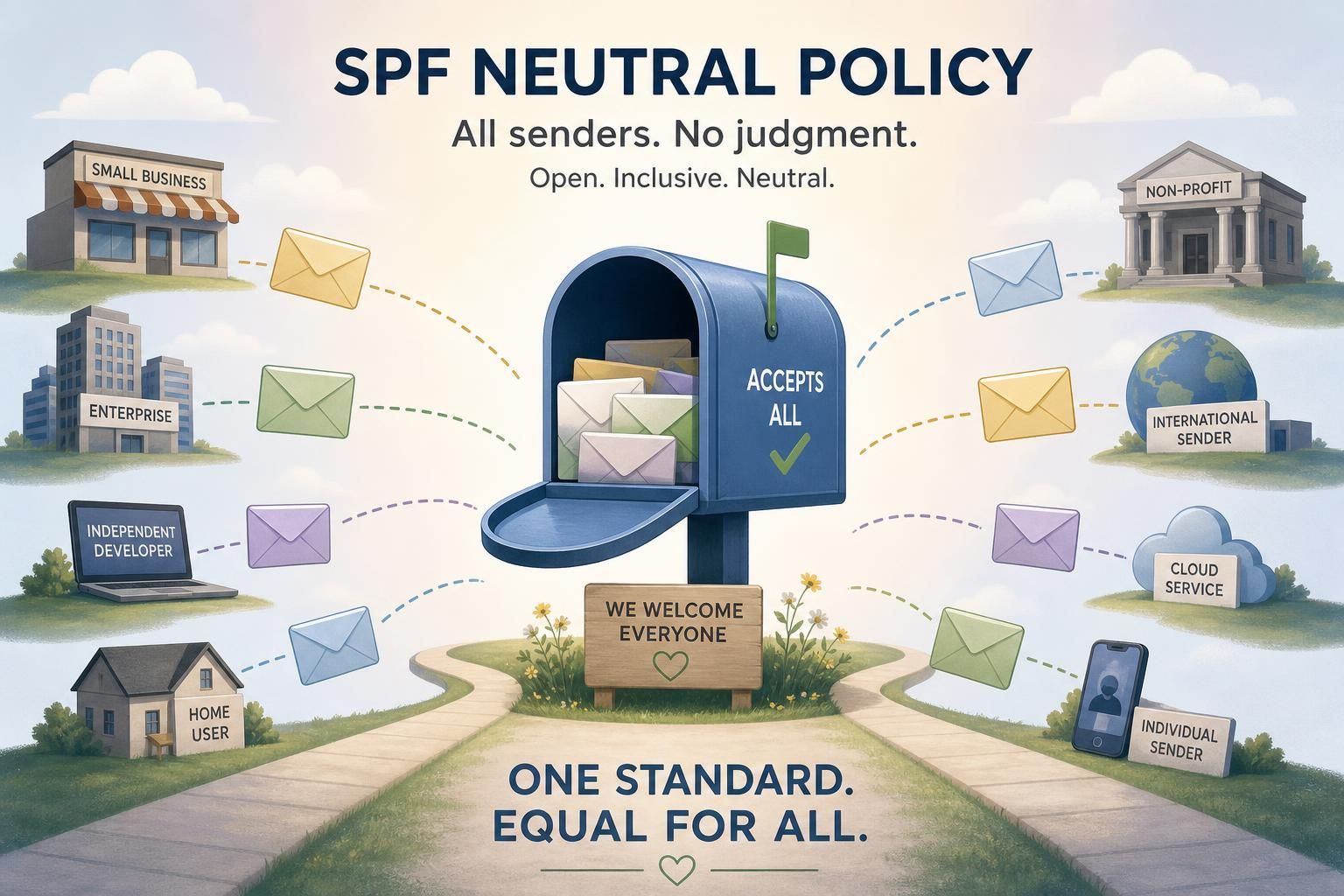
SPF neutral results arise when a domain explicitly configures its SPF record to withhold judgment on the sender’s authorization status using the ?all qualifier. The neutral status indicates that the domain does not assert whether the sending server is authorized or unauthorized, thus the receiving server should not consider SPF results as a significant factor in deciding message treatment.
At the protocol level, SPF neutral tells receiving servers the domain’s policy is either undecided or that the domain owner loves ambiguity. This may happen in early stages of SPF deployment or when the domain owner wants to avoid false positives without enforcing strict email authentication rules. An example neutral record:
v=spf1 include:_spf.google.com ?all
This means emails from all IPs are technically accepted as neutral, giving no strong guidance on legitimacy.
Confirming neutral involves identifying the ?all qualifier and noticing that email delivery happens without clear SPF pass/fail signals. Some spam filters may ignore SPF neutral results, relying on other authentication methods such as DKIM or DMARC to make final decisions.
Neutral results differ distinctly from softfail and fail because they do not imply suspicion or rejection but rather an absence of policy. The test to set neutral apart is by analyzing the presence of ?all qualifier and the absence of rejections or spam flags caused solely by SPF.
When SPF policies don’t behave as expected: failure modes beyond softfail, fail, and neutral
SPF mechanisms are not foolproof. Some failure modes go beyond simple softfail, fail, or neutral outputs, causing email authentication issues despite correctly configured SPF records. Understanding these exceptions is vital for administrators troubleshooting complex email delivery failures.
One common failure mode is permerror, where SPF checking fails due to syntax errors in DNS records or exceeding DNS lookup limits. SMTP servers receiving this error treat SPF as failed but without a soft or hard failure qualifier. Diagnosing permerror involves DNS lookup tests and record validation tools.
Another situation is the none result, which appears when no SPF record exists for the sending domain. This leaves the domain without any SPF-based policy, often leading to reduced authentication trust and increased chances of domain spoofing.
SPF cannot survive email forwarding scenarios as the sender IP changes during forwarding, usually causing SPF softfail or hardfail unless a specialized solution like SRS (Sender Rewriting Scheme) is implemented.
Complicating matters further, the interaction between SPF and DMARC can lead to seemingly contradictory outcomes. DMARC requires alignment of the SPF authenticated domain with the RFC 5322 From header, meaning an SPF pass alone is insufficient if alignment fails. Leading DMARC to treat SPF as failed regardless of the SPF result.
A recommended approach for debugging SPF issues includes enabling detailed debug output on receiving servers, accessible through resources like the SMTPDebug article. This helps admins understand real-time SPF evaluation steps and root causes behind unexpected failures.
Balancing email deliverability and security: Choosing the right SPF policy in 2026
With the increasing mandates by major inbox providers requiring email authentication, the choice between SPF softfail, fail, and neutral significantly affects both email deliverability and protection against domain spoofing.
Industry experts in 2026 suggest a phased approach to SPF policy deployment:
- Start with SPF softfail (~all) during testing or when managing multiple email sources. It allows identification of unauthorized senders without risking legitimate email blocking.
- Progress to SPF hardfail (-all) after comprehensive verification that all legitimate email sources are included in the SPF record. This enforces strict rejection of unauthorized emails, enhancing domain security.
- Use SPF neutral (?all) sparingly, typically when SPF setup is incomplete or transitional, because it provides minimal security benefits.
Proper SPF management must always be coupled with DKIM and DMARC. DMARC, especially with policies set to p=reject, supplements SPF by requiring domain alignment and providing reporting. This compensates for SPF’s shortcomings, such as lack of enforcement and inability to authenticate forwarded emails.
The following table summarizes how each SPF qualifier affects email authentication and delivery:
| SPF Qualifier | Email Authentication Impact | Delivery Outcome | Recommended Use Case |
|---|---|---|---|
-all (HardFail) |
Explicit rejection of non-authorized senders | Emails rejected or discarded | Final stage after all legitimate senders are validated |
~all (SoftFail) |
Soft warning of unauthorized senders | Emails accepted, often marked spam | SPF testing and gradual rollout phases |
?all (Neutral) |
No explicit stance on sender authorization | Emails usually accepted | Early deployment or transitional setups |
+all (Pass) |
Any sender is authorized | Emails always accepted | Not recommended, insecure |
Maintaining accurate DNS records for SPF, regularly auditing authorized IP lists, and implementing DMARC are essential components of modern email security strategies. Organizations should never rely on SPF alone due to its inherent limitations and should always monitor authentication results to adapt to evolving threats.

What does SPF softfail actually indicate?
SPF softfail (~all) means the sending server is not authorized by the SPF record, but the domain owner does not want the message rejected outright. The receiving server typically accepts the mail while treating it cautiously, often marking it as spam or suspicious.
How does SPF hardfail differ from softfail?
SPF hardfail (-all) explicitly tells receivers to reject any email not originating from authorized servers listed in the SPF record. Softfail (~all) just marks such emails as suspicious without blocking them completely.
Why is SPF neutral considered less secure?
SPF neutral (?all) provides no clear authorization guidance to receiving servers, meaning emails are neither accepted nor rejected based on SPF. This leads to no protection against spoofing or unauthorized sending.
Can SPF alone prevent domain spoofing in 2026?
No. SPF alone cannot guarantee domain protection because it does not enforce domain alignment and can fail in forwarding scenarios. DMARC is necessary to complement SPF by requiring alignment and providing enforcement and reporting capabilities.
How to safely transition from SPF softfail to hardfail?
Gradually: start with softfail while monitoring all legitimate email sources, add all authorized senders to the SPF record, test thoroughly, then switch to hardfail once confident. This prevents legitimate email delivery issues.
