
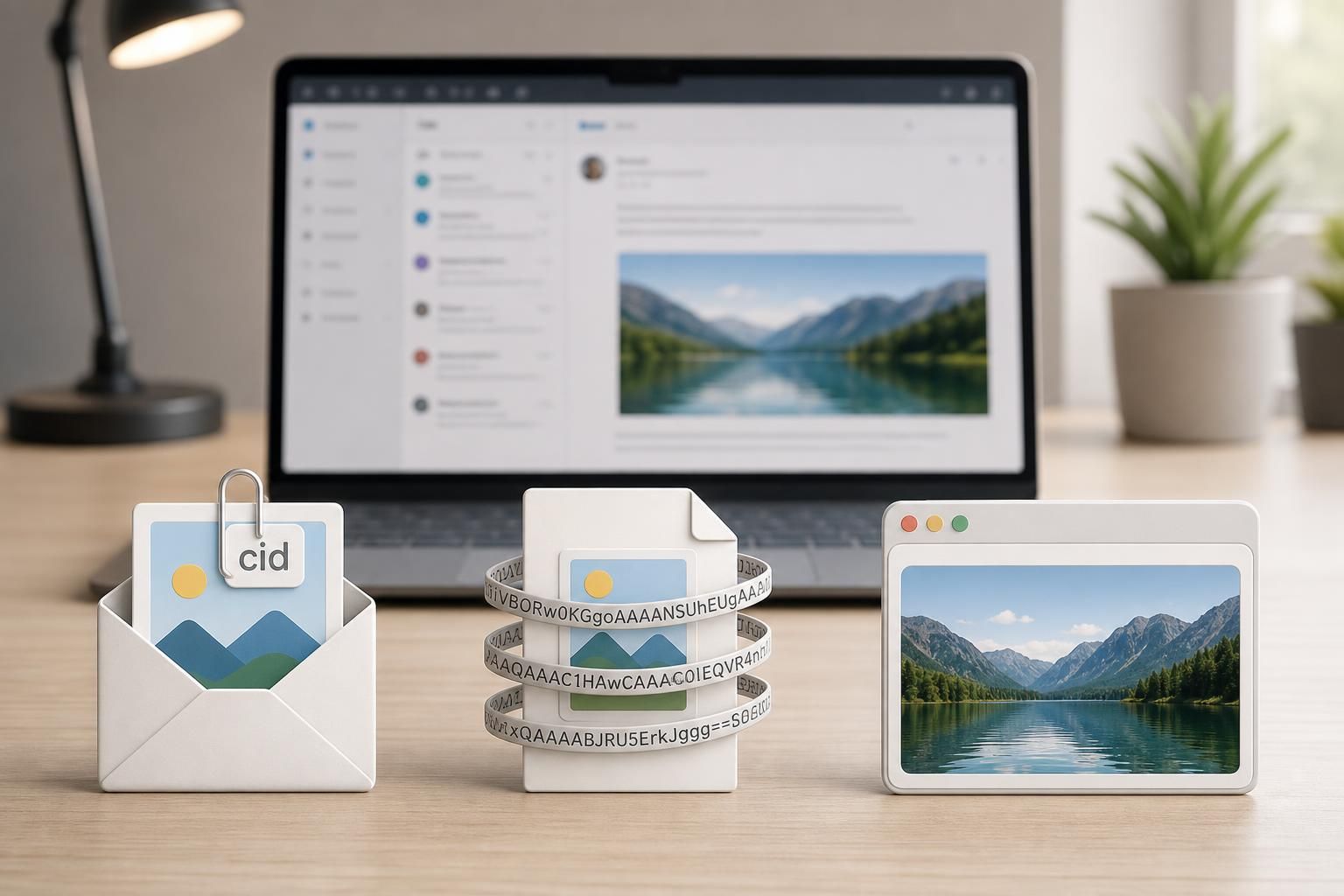
Embedding images within HTML emails remains a complex balancing act, where deliverability, client support, and message size intermingle. As 2026 approaches, the landscape for embedding images shifts subtly but significantly. From the prevalent use of hosted URLs to the nuanced CID (Content-ID) attachments and the niche application of Base64 encoding, understanding the distinctions is critical for email designers and developers striving for optimal compatibility and user experience. Each technique presents unique advantages and challenges, shaped by evolving email client policies and emerging performance considerations. This article navigates through these methods, spotlighting how they impact email rendering and deliverability in real-world scenarios.
In brief:
- Hosted images rely on external URLs, offering universal compatibility but risk being blocked by default in many email clients.
- CID attachments embed images as MIME parts within the email, enabling offline visibility but increasing message size.
- Base64 encoded images embed the entire image inline as a data URI, reducing external dependencies but facing limited email client support and message bloat.
- Email client support varies widely, with Apple Mail and Thunderbird offering robust Base64 support, while popular webmail services like Gmail and Outlook web strip data URIs.
- Best practices emphasize balancing image size (keeping under 100 KB when possible), using alt text, and understanding the trade-offs to optimize both performance and compatibility.
The Meaning of Embedding Images in HTML Email: A Protocol-Level Overview
“Embedding Images in HTML Email: CID vs base64 vs Hosted” touches on a fundamental concept of how images are handled within emails beyond simple attachment. At the protocol level, email messages are structured according to MIME (Multipurpose Internet Mail Extensions) specifications. This standard defines how email content, including images, is formatted and transmitted. Embedding images means making an image appear directly within the email body rather than as a separate downloadable attachment, improving the user experience by showing visuals inline immediately upon opening.
Embedding relies on different mechanisms influencing how images are referenced and accessed by the reading client. Hosted images use standard HTML pointing to external HTTP or HTTPS URLs, meaning the image is fetched on demand. CID attachments use a method where the image file is bundled inside the email as a separate MIME part with a unique Content-ID, which the HTML references using a src attribute with a cid: prefix. Base64 embedding encodes the entire image as a long text string inside the src attribute using a data URI, effectively inlining the image in the HTML itself.
What the email client supports at the presentation layer determines whether these embedding techniques render correctly. Email servers usually handle these methods transparently, but client-side support and security policies, such as blocking external images or sanitizing data URIs, heavily impact user experience and deliverability. In short, image embedding profoundly shapes email visual fidelity and accessibility.
Hosted Images: Universal Compatibility and Its Delivery Challenges
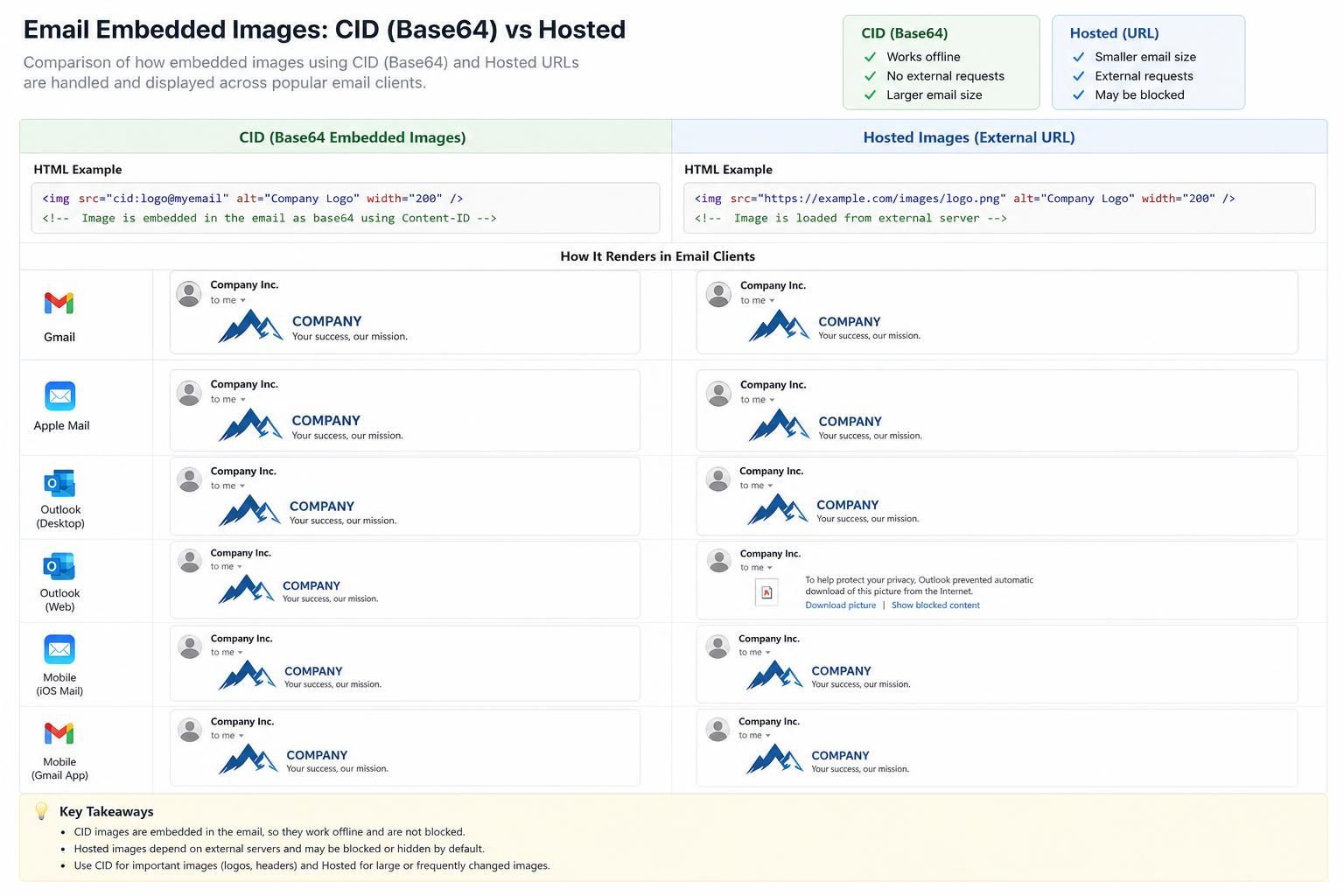
Hosted images represent the simplest and most widely compatible method for embedding images in HTML email. This approach involves uploading images to publicly accessible servers and referencing them via conventional HTML <img src="URL"> tags. Because these images aren’t included in the email’s payload, email message sizes remain minimal, boosting deliverability rates as smaller emails are less likely to trigger spam filters.
This method benefits from near-universal support in webmail clients (such as Gmail, Yahoo Mail, and Outlook.com), desktop clients, and mobile apps. The major caveat, however, is that many clients block remote images by default due to privacy and security concerns, requiring users to explicitly enable image display. This behavior can reduce the immediate visibility of embedded visuals, impacting engagement rates, especially for marketing campaigns relying on branding elements or tracking pixels embedded in linked images.
To confirm the effectiveness of hosted images: test across multiple email clients and evaluate whether images load automatically or require user action. Tools like Litmus or Email on Acid enable comprehensive rendering previews. Another critical aspect is verifying the accessibility of URLs. Publicly accessible images must not require authentication or reside behind firewall restrictions. Broken or private URLs cause images to fail to render and display as broken icons or placeholders.
Case study: a 2025 campaign by a multinational retailer optimized newsletter delivery by hosting hero images on a CDN with fast global delivery, compressing images under 100 KB each. While the campaign saw an increase in email open rates compared to previous CID-based versions, approximately 30% of recipients initially saw missing images due to client blocking, highlighting the trade-off between compatibility and immediate visual presentation.
| Aspect | Hosted Images | CID Attachments | Base64 Images |
|---|---|---|---|
| Image Location | External Server URL | Embedded MIME Part | Inline Data URI |
| Message Size | Small (No image payload) | Medium (Image included as attachment) | Large (Image encoded within HTML) |
| Offline Display | No | Yes | Yes |
| Email Client Support | Universal | High | Limited |
| Privacy Control | Server-dependent | Embedded, user privacy preserved | Embedded, user privacy preserved |
CID Attachments: Compatibility and Offline Availability in Emails
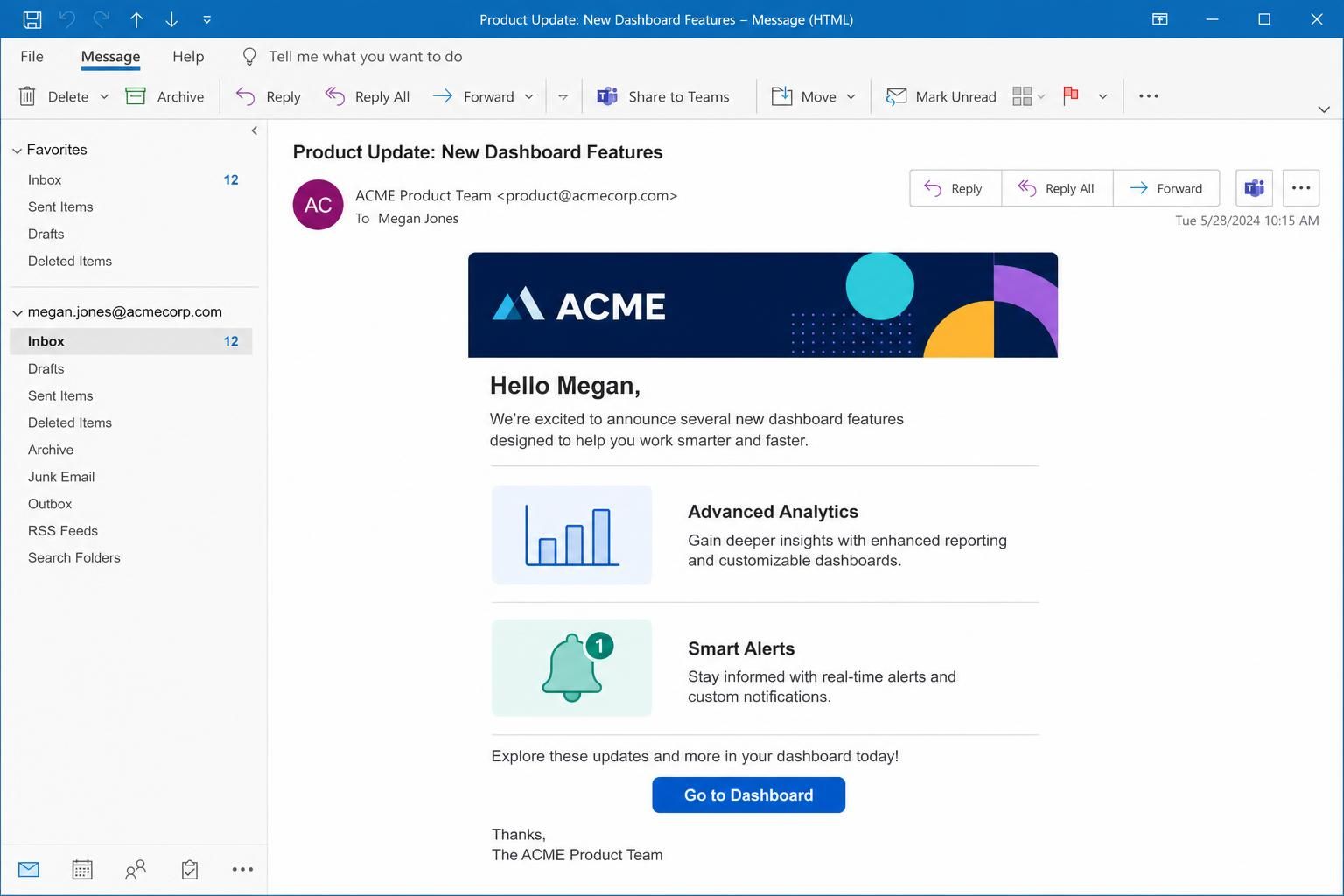
Content-ID (CID) attachments embed images inside the email message as MIME parts separate from the HTML body. This method tags images with unique Content-ID headers, allowing HTML image tags to reference these attachments directly using src="cid:[unique-id]". Email clients then render the referenced image inline when displaying the body.
CID embedding offers the advantage of offline display, as images travel with the message and do not rely on external servers. This design is particularly valuable for transactional emails, internal reports, or communications sent to environments with limited or no internet access.
While CID attachments improve compatibility, the increase in email size can be substantial since the entire image file is appended to the message. Email size limits from providers such as Gmail (25 MB) or Outlook (20 MB) should be factored in, especially when including multiple images. Another complexity arises from inconsistent CID support across email clients. Although desktop clients like Outlook and Apple Mail handle CID reliably, many web-based services or mobile apps exhibit varied behavior. Troubleshooting involves verifying that Content-ID values align exactly between the MIME headers and the HTML references.
Checking for this specific cause involves validating the MIME structure with tools that reveal embedded attachments and ensuring CID references match correct attachments. Using debug logs from SMTP libraries like SMTPDebug can help trace attachment mismatches and reveal encoding errors.
Example: A customer support system deployed in 2024 used CID attachments to embed company logos in automated replies. Despite some initial rendering inconsistencies in certain mobile clients, end users valued having logos displayed instantly, even offline, improving brand trust.
Base64 Encoding in HTML Emails: Inline Image Embedding and Its Limitations
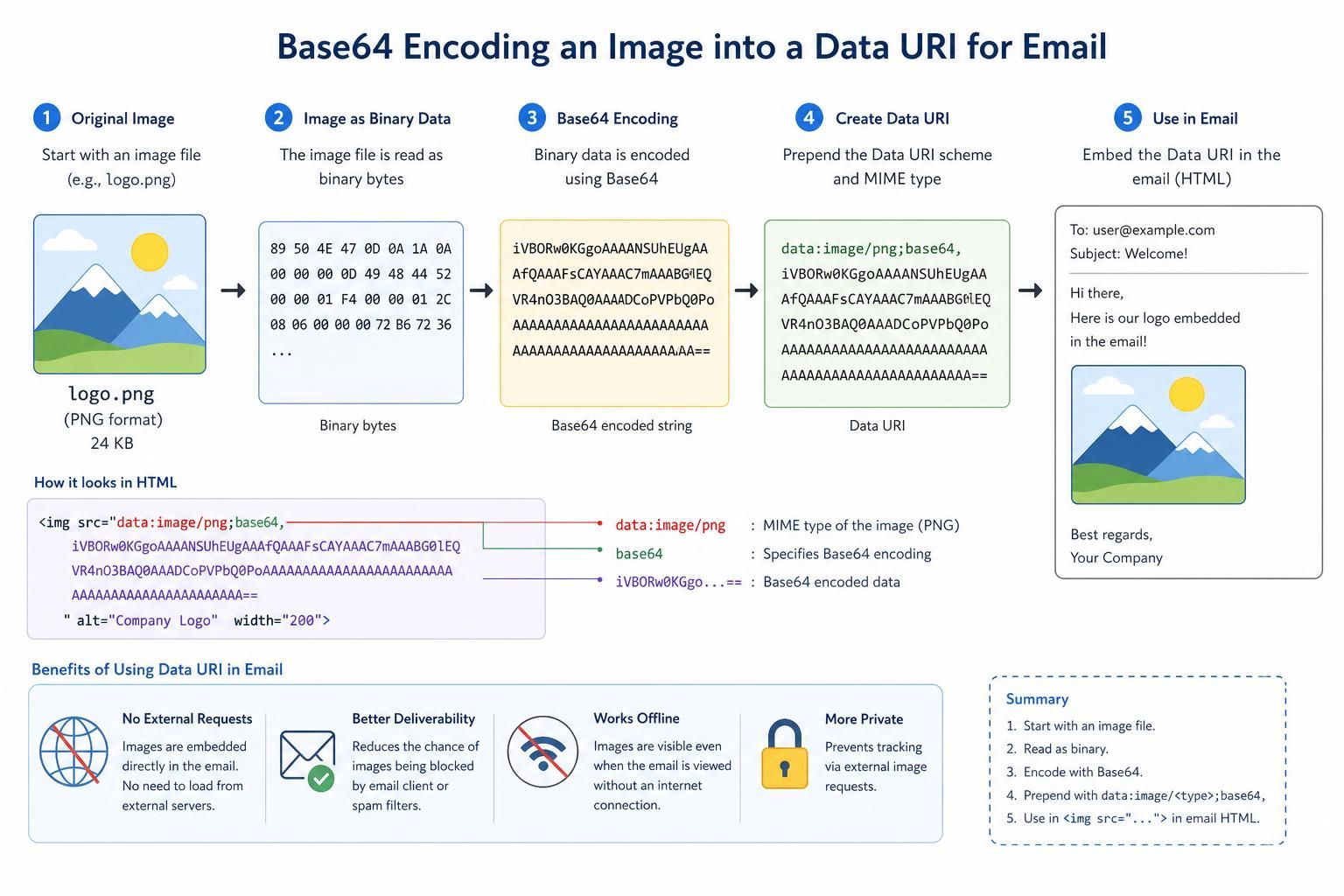
Base64 images encode the raw image binary data into ASCII text characters, embedding the entire image inline within the HTML email as a data URI. This method uses the <img src="data:image/png;base64,..."> structure. The major appeal is the encapsulation of all content into a singular HTML file, requiring no external hosting or attachments. This “all-in-one” packaging is useful for internal testing, email exports, or environments where external requests are disallowed.
The stark trade-off lies in image size inflation and limited email client support. Base64 increases the image payload by approximately 33%, substantially enlarging email messages. Larger emails face heightened deliverability risks, with spam filters flagging emails exceeding 100 KB more aggressively. popular webmail services such as Gmail, Yahoo Mail, and Outlook on the web routinely strip Base64 data URIs during HTML sanitization, rendering this method ineffective for broad audiences.
Confirming Base64 as the root cause of image rendering issues involves checking the client’s support matrix. Clients like Apple Mail, Thunderbird, and iOS Mail fully support Base64 inline images. Gmail web clients and Android Gmail do not, causing these images to disappear. Testing with snippet previews or email analysis tools can reveal whether Base64 images survive client filtering.
When embedding Base64 images, it is crucial to include width, height, and meaningful alt text attributes, and use CSS styles like display:block; to prevent unwanted spacing. Maintaining image sizes under 50 KB, ideally under 5 KB for icons, reduces bloat and improves rendering performance. Generating Base64 strings is straightforward with numerous online tools that encode image files into ready-to-paste URIs.
| Email Client | Base64 Support | Notes |
|---|---|---|
| Apple Mail | Yes | Full support on macOS and iOS |
| Thunderbird | Yes | Consistent support across platforms |
| Gmail (web) | No | Strips Base64 images during sanitization |
| Outlook 365 (web) | No | Removes Base64 data URIs |
| Outlook Desktop | Partial | Version-dependent support |
| Yahoo Mail | No | Strips Base64 images |
| iOS Mail | Yes | Full support on iPhone and iPad |
| Android Gmail | No | Strips encoded images |
When used appropriately, Base64 embedding shines in use cases such as embedding small icons in internal reports or single-file email exports where controllable email clients are common. For broad public campaigns, however, Base64 remains too risky given its patchy support and email size increase.
When Standard Fixes Fail: Failure Modes and Troubleshooting Embedded Images in HTML Email
Despite a solid understanding of embedding methods, failures persist in embedding images within HTML email due to multiple subtle causes. When standard fixes such as proper referencing, size optimization, and matching Content-IDs do not restore inline image rendering, the issue often pivots to less obvious failure modes. These can disrupt even the best-engineered emails, posing challenges to deliverability and display.
One failure mode arises from security policies in email clients stripping or sanitizing embedded resources unexpectedly. For example, Base64 data URIs may be removed silently by Gmail or Outlook on the web, independent of the sender’s controls. Similarly, CID attachments may fail if mismatched Content-ID headers confuse the client or if spam filters excise attachments deemed suspicious.
Another potential failure cause involves improper MIME formatting. An incorrect boundary string in MIME multipart messages or missing Content-Transfer-Encoding headers can prevent images from decoding properly. Debugging such issues requires examining raw email source and verifying MIME compliance, including checking the exact match between Content-ID and cid references in HTML.
Finally, oversized images embedded via Base64 or CID can increase total email size beyond limits imposed by providers. Emails exceeding these thresholds may be truncated, delayed, or bounced. Large Base64 images especially increase the encoded size further by one-third, aggravating this risk.
To isolate these failure modes, enabling debug output from SMTP libraries (such as SMTPDebug) can reveal where encoding or attachment packaging faults arise. Checking message size with email tools and performing thorough cross-client testing prevent unexpected surprises.
In practice, marketers have encountered cases where images display perfectly in certain popular clients but vanish in others, even with compliant embedding. A/B testing campaigns with different embedding methods remains an effective strategy to identify the best approach for a specific recipient base.
Choosing the right embedding method in email marketing or professional communication campaigns revolves around understanding these protocols, client allegiances, and failure modes. Balancing image display quality with message deliverability and performance.
Does Gmail support Base64 embedded images?
No. Gmail strips Base64 data URI images during HTML sanitization on both web and Android clients. Use CID attachments or hosted images for Gmail recipients.
What is the maximum recommended size for Base64 images in emails?
Ideally, Base64 images should remain under 50 KB each to avoid email bloat and deliverability issues, as Base64 encoding increases file size by approximately 33%. Total email size should stay under 100 KB.
When is CID embedding preferable to Base64 encoding in emails?
CID embedding is usually superior in compatibility across email clients, especially for marketing and transactional emails sent broadly. Base64 is more suited to controlled client environments or internal testing.
How can oversized embedded images affect email deliverability?
Large embedded images inflate email size, increasing the chance of hitting provider limits and triggering spam filters, potentially causing bounces or partial message rendering.
Can animated GIFs be embedded as Base64 in emails?
Yes, but because Base64 encoding increases file size by 33%, large animated GIFs are better hosted externally. Supported clients like Apple Mail and Thunderbird display Base64 animated GIFs correctly.
