
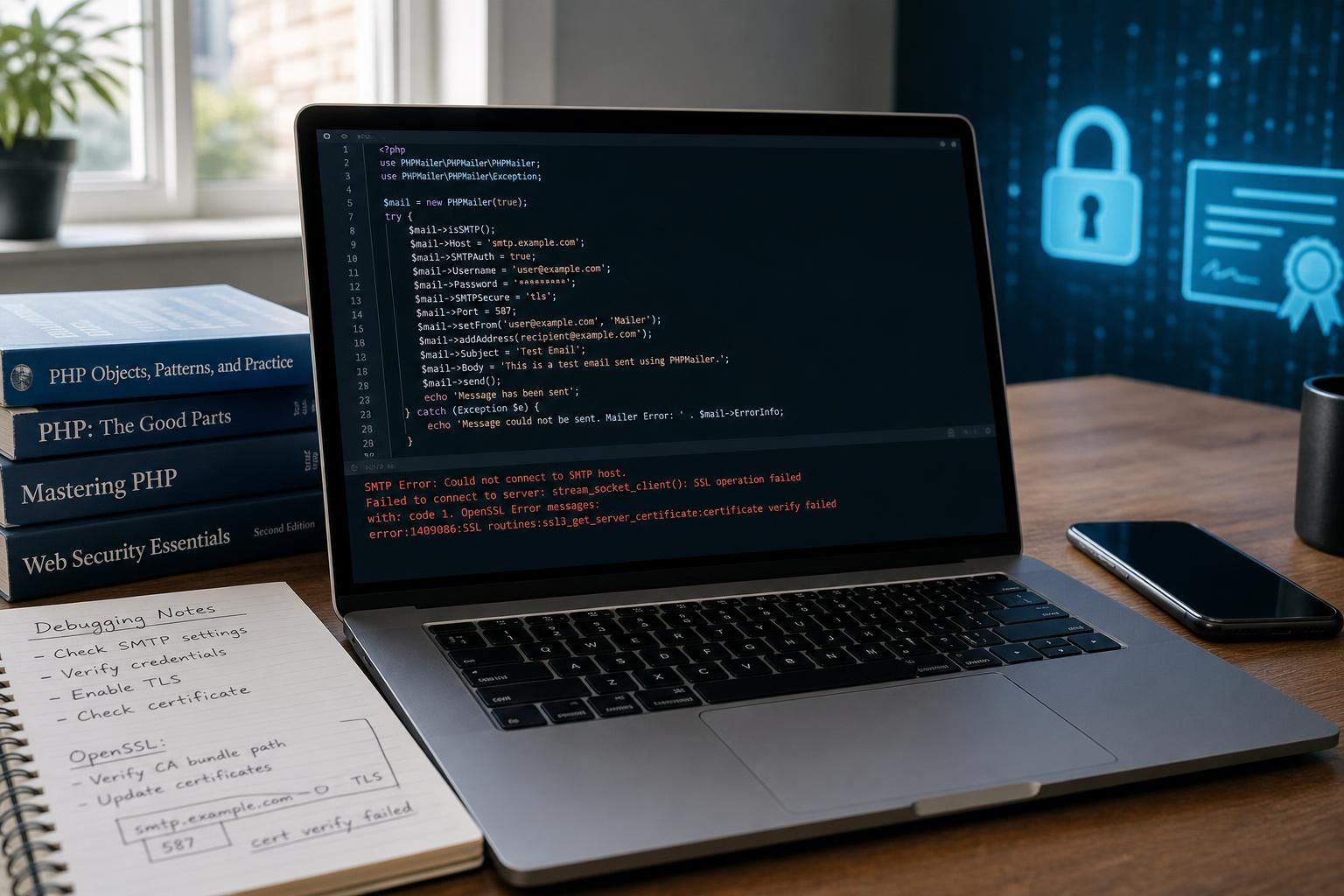
The PHPMailer “certificate verify failed” error is a common stumbling block for developers and administrators alike, signaling a problem with SSL verification during SMTP authentication. This error reveals a critical failure in the secure handshake process where PHPMailer cannot validate the privacy and identity of the mail server it’s communicating with, jeopardizing both the integrity and confidentiality of sent emails. As secure communication protocols become increasingly stringent in 2026 due to evolving cybersecurity threats, understanding this error and resolving it properly—without weakening TLS security by disabling peer verification—has become essential. This article dissects the layered causes of the PHPMailer certificate verification failure, emphasizing robust fixes that preserve PHP mail security and avoid quick but hazardous shortcuts like setting verify_peer to false.
Mastering the intricacies behind this PHPMailer error can transform frustrating debugging sessions into systematic troubleshooting. Multiple factors contribute to the breakdown in certificate validation, ranging from outdated system certificate bundles to misconfigurations in PHP or server environments. Beyond mere patches, a clear and organized approach to tackling each potential cause ensures your SMTP authentication remains both secure and reliable. This article also addresses scenarios where typical fixes fail, preparing you to handle exceptional cases with confidence.
Understanding the PHPMailer “certificate verify failed” Error at Protocol Level
The error message stream_socket_enable_crypto(): OpenSSL Error:0A000086:SSL routines::certificate verify failed occurs during the SSL/TLS handshake when PHPMailer attempts to establish an encrypted SMTP connection. At this protocol level, SSL/TLS requires the client to verify that the server’s presented certificate chains back to a trusted Certificate Authority (CA), confirming its authenticity and securing communication from man-in-the-middle attacks.
This verification process involves checking the server’s SSL certificate against a locally stored set of trusted CA certificates. If PHP or the underlying OpenSSL libraries cannot trace the certificate chain to a known root authority, the handshake fails, triggering the certificate verify failed error. Diagnostic tools like openssl s_client confirm such issues with messages including verify error:num=20:unable to get local issuer certificate, which explicitly states missing intermediate or root certificates needed to complete the validation chain.
Crucially, this error indicates the server’s SSL certificate is not necessarily invalid, but rather the PHP environment running PHPMailer lacks the necessary trust configuration to validate it properly. Often, manual command-line OpenSSL calls succeed while PHP fails due to its unique setup or resource access limitations. Highlighting a significant difference between system and application-level certificate handling.
Resolving this error requires pinpointing whether the problem lies with outdated or misconfigured Certificate Authority bundles, PHP configuration issues, or environmental anomalies affecting SSL communication, thereby avoiding insecure practices that disable essential verification steps.

Outdated or Missing CA Certificates: Confirming System-Level Certificate Store Issues
A primary cause for the PHPMailer “certificate verify failed” error is an outdated or incomplete Certificate Authority bundle on the server. SSL verification depends extensively on having the latest root and intermediate certificates so that the client can trace any given certificate back to a trusted authority recognized globally.
To confirm this cause specifically, administrators should check the system’s CA certificates with these steps:
- Run
openssl s_client -connect smtp.example.com:465 -CApath /etc/ssl/certsor equivalent to test the certificate chain directly against the system’s trusted store. - Compare results between PHP’s OpenSSL interface and the system CLI; if the CLI passes but PHP fails, it indicates PHP is not configured to use the system’s updated CA bundle.
- Verify the presence and update status of CA certificates by running commands like
sudo apt update && sudo apt install ca-certificates && sudo update-ca-certificateson Debian/Ubuntu or equivalent for other distributions.
The gap between a system’s actual CA store and PHP’s referenced bundle often arises due to OS upgrades, disk space issues, or missing package updates, as observed in many production environments where the issue surfaced after a system crash or maintenance operation. In these cases, modern systems like Ubuntu 22.04 with OpenSSL 3.0.2 sometimes have stricter validation rules, exposing broken or incomplete CA paths.
Corroborating this diagnosis involves:
- Ensuring the ca-certificates package is installed and up-to-date.
- Validating OpenSSL’s configuration files (e.g.,
/etc/ssl/openssl.cnf) to ensure they point to the proper CA path. - Confirming PHP’s OpenSSL extension is configured correctly to use the system CA certificates, often verified by inspecting
phpinfo()output foropenssl.cafileandopenssl.capath.
| Test | Outcome Indicating Missing CA Certificates | Resolution Approach |
|---|---|---|
| CLI: openssl s_client with CA path | Certificate chain incomplete, verify error:num=20 | Update ca-certificates package, re-run update-ca-certificates |
| PHP OpenSSL verification on SMTP | SSL routines::certificate verify failed error | Configure PHP to use system CA bundle or specify valid cafile |
This cause is distinct because the fault is environmental rather than coding related. When the system’s certificates are brought up to date, PHPMailer no longer triggers the certificate verify failed error, confirming that the root of the problem lies in lacking trust anchors.
Misconfiguration of PHPMailer or PHP Regarding TLS Security Settings
Sometimes, the source of the certificate verify failed error is misconfiguration within PHPMailer or PHP’s stream context, specifically pertaining to TLS security options. Developers might unintentionally disable or improperly configure certificate validation via the verify_peer setting or related options.
To confirm if this is the cause, follow these distinguishing steps:
- Check PHPMailer’s
SMTPOptionsfor SSL context overrides that disable verification:
$phpmailer->SMTPOptions = array(
    'ssl' => array(
        'verify_peer' => false,
        'verify_peer_name' => false,
        'allow_self_signed' => true,
    )
);
PHPMailer errors caused by these overrides are confirmed when the error disappears only after disabling verification, indicating no real trust chain issue exists, but rather these settings short-circuit SSL checks.
Fixing this cause requires restoring proper TLS security configurations without resorting to insecure workarounds:
- Ensure
verify_peerandverify_peer_nameare set totruefor production. - Remove
allow_self_signedunless explicitly required for trusted internal servers. - Diagnose and resolve underlying certificate validation issues rather than bypassing them.
This emphasizes that turning off verify_peer is an insecure practice that should never be considered a true fix. Instead, such settings should serve only for temporary testing while permanent solutions are pursued.

PHP Environment Problems: OpenSSL Module or Path Misalignment
Another distinct cause of the PHPMailer certificate verify failed error arises from PHP environment issues where the OpenSSL extension is not linking correctly to a valid certificate store or suffers from path misalignments. This can happen due to multiple installed PHP versions, containerization quirks, or custom OS configurations.
The diagnostic test that differentiates this cause involves:
- Using
phpinfo()or equivalent to confirm the active OpenSSL version and its loaded configuration paths. - Running a PHP script to execute
openssl_verifyor other OpenSSL functions against known certificates bundled with the OS. - Comparing these results with command-line OpenSSL verification of the same certificates.
If PHP’s OpenSSL extension cannot locate or access the pathname of CA bundles but system OpenSSL can, this indicates a path or permission problem requiring adjustments in PHP’s configuration, such as setting openssl.cafile or openssl.capath in php.ini or fixing permission issues for the certificate files.
This cause stands apart as it requires understanding the PHP runtime environment and how it interacts with system libraries and certificate resources, often underappreciated in typical debugging workflows.
| Diagnosis Method | Result Indicating PHP Environment Fault | Remedial Action |
|---|---|---|
| phpinfo() openssl.cafile | Not set or points to non-existent file | Set correct path in php.ini or deploy valid CA bundle |
| PHP OpenSSL verify test script | Fails to verify known good certificate | Fix PHP OpenSSL linkage or permissions |
Failure Modes: When Standard Fixes Do Not Resolve PHPMailer “certificate verify failed”
In rare cases, even after diligently updating CA bundles, restoring TLS settings, and confirming PHP environment correctness, the PHPMailer certificate verify failed error persists. These stubborn failure modes demand deeper inspection.
Possible scenarios include:
- Self-signed or Custom Certificate Authorities: The SMTP server uses a certificate issued by an organization-specific CA not trusted system-wide. Fix: Import the custom CA certificate into the system’s trust store, ensuring it is recognized during verification.
- Intermediate Certificate Missing on SMTP Server: The server fails to deliver the complete certificate chain, leaving clients unable to verify the chain properly. Fix: Contact the mail host administrator to patch the certificate chain.
- Date and Time Skew: Client system time is incorrect, causing validation failures. Fix: Ensure synchronization with a reliable NTP source.
- Network Interception: Transparent proxies or firewalls may intercept TLS connections and present substitute certificates, breaking validation. Fix: Bypass such devices or add their certificates into trusted stores, if authorized.
Before abandoning secure practices like disabling verify_peer, rule out these complex failure modes to guarantee a maintainable and safe PHPMailer email sending fix.

Key Checklist to Properly Fix PHPMailer certificate verify failed Errors Without Compromising PHP Mail Security
- Ensure the operating system’s CA bundle is current and complete by regularly updating ca-certificates packages.
- Verify PHP’s OpenSSL configuration points correctly to the system’s CA bundle or a specified, valid cafile.
- Avoid disabling verify_peer unless in strictly controlled development environments.
- Check SMTP server certificate validity and completeness of the certificate chain.
- Synchronize system time accurately.
- Analyze potential middleboxes that could interfere with TLS connections.
Adhering to these steps will maintain rigorous PKI validation, ensuring your email transport remains secure and trusted.
What does the PHPMailer certificate verify failed error mean?
It indicates that PHP/OpenSSL cannot validate the SMTP server’s SSL certificate against trusted Certificate Authorities during the TLS handshake, breaking encryption trust.
Is setting verify_peer to false a secure solution?
No, disabling verify_peer bypasses critical certificate validation, exposing your application to man-in-the-middle attacks and seriously compromising email and data security.
How do I update the CA certificates on my server?
On Debian/Ubuntu, run sudo apt update, sudo apt install ca-certificates, and sudo update-ca-certificates. Verifying the update ensures complete root and intermediate certificates are present for validation.
Why might PHP OpenSSL verification fail when system OpenSSL succeeds?
This typically points to PHP misconfiguration where the OpenSSL extension cannot access or locate the CA bundle, requiring php.ini adjustments or permissions fixes.
What should I do if the SMTP server uses a self-signed certificate?
Import the self-signed certificate or its root authority into your system’s trusted CA store, allowing PHPMailer to validate the server securely without disabling verification.
