

The error message “Could not instantiate mail function” frequently appears during attempts to send emails via PHP applications like PHPMailer. This issue indicates a failure to correctly invoke the underlying mail function on the server, which is crucial for sending emails. At the protocol level, this error signals that the PHP mail() function, which acts as a bridge between PHP scripts and the mail transfer agent configured on the server, has returned false. This means PHPMailer tried to send the email through the local mail transport, but the server’s configuration or permission settings prevented the mail process from initializing properly.
In simpler terms, when you see this message, your PHP script called the mail function to hand off the email to the server’s mail handler — typically sendmail, postfix, or an equivalent — and this handoff failed outright. It’s fundamentally a server-side issue, often disconnected from the email’s content or intended recipients, but rooted in how the mail function is set up or restricted on the hosting environment. Before testing specific causes, it’s important to understand that PHPMailer is really relaying a PHP-level failure to initiate the mail sending process rather than diagnosing higher-level SMTP communication issues.

Misconfigured PHP Mail Function or Server Settings Blocking Email Delivery
The “Could not instantiate mail function” error often results from a misconfigured or poorly supported PHP mail() function environment on the server. At its core, PHP’s mail() function depends on the server’s mail system (e.g., sendmail, postfix) to actually dispatch messages. If this system is improperly configured or disabled, PHPMailer cannot hand over the message, triggering this error.
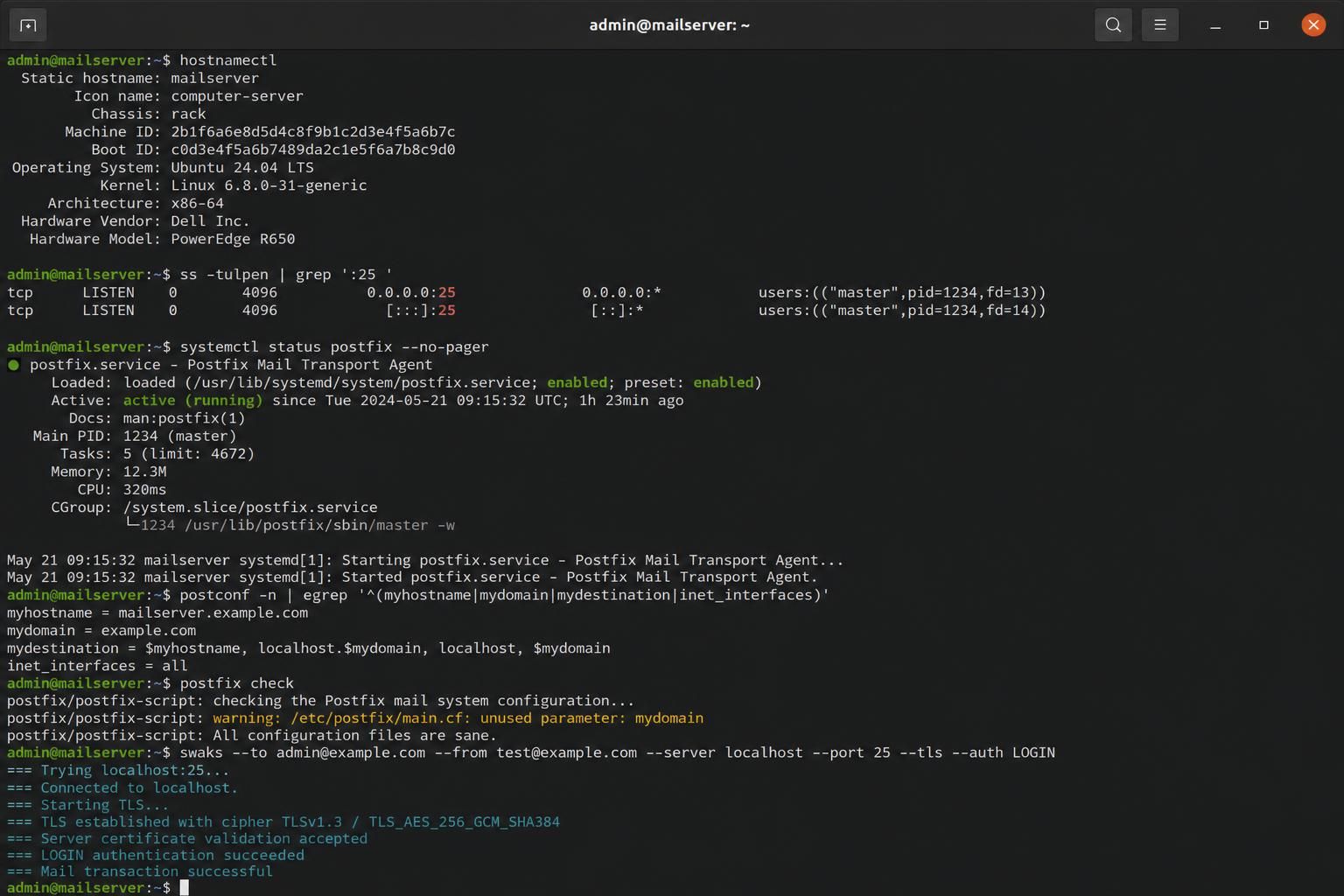
To confirm this cause, first verify the server’s mail configuration. This involves checking the sendmail_path directive in the php.ini file, which should point to a valid mail transfer binary like sendmail or equivalent. Usage of wrappers, such as mini_sendmail, can interfere if they do not support the parameters PHPMailer uses when calling mail(). For example, PHPMailer adds parameters like -oi and -f sender@example.com during mail() invocation, which some lightweight wrappers fail to interpret.
Testing can be performed by running a standalone PHPMailer script outside your CMS or framework environment. If this replicate script issues the same error, it confirms that the issue is the server’s mail binary or PHP configuration, not specific CMS or plugin code. checking with command line tools such as sendmail -v or reviewing server mail logs often provides clues on failures at this level.
Hosts with strict server settings may also impose rate limits or disable mail() function calls to prevent spam, which directly leads to mail() returning false. Contacting the hosting provider to confirm if mail() is enabled and if email sending quotas exist is a key step. This cause distinctively requires server-side debugging rather than SMTP credential changes, which can be verified by the lack of alternative SMTP authentication in the PHPMailer configuration during testing.
Key Tests to Distinguish This Cause
- Run a PHPMailer standalone script to test mail() independent of CMS
- Check
sendmail_pathinphp.iniand verify pointing to sendmail or compatible binary - Confirm with host provider if mail() is permitted and if sending quotas apply
- Review mail logs or server error logs for direct mail binary failures
Email Sending Limits and Quotas Leading to Server Mail Rejection
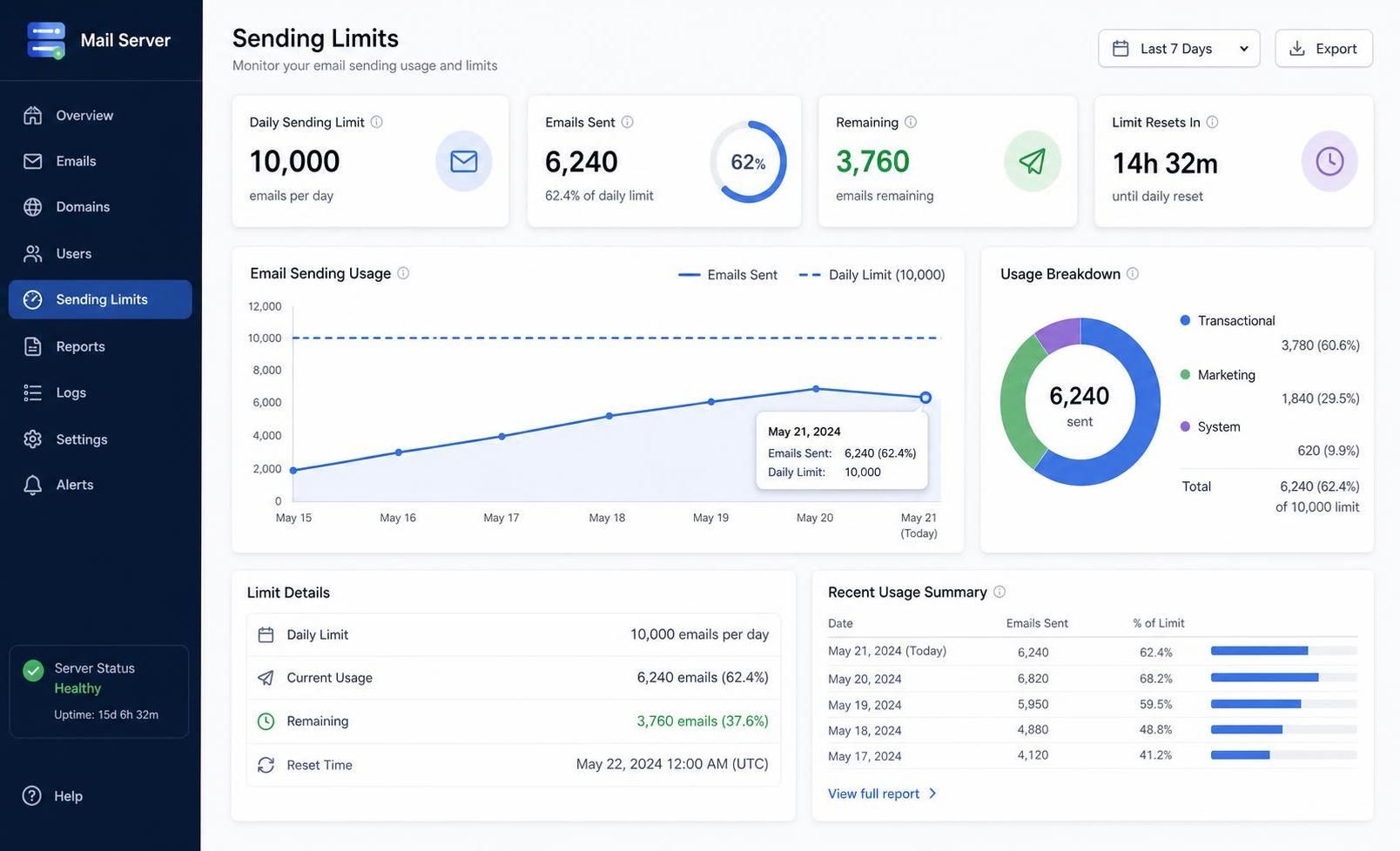
Another distinct root cause for the “Could not instantiate mail function” message is hitting predefined email sending limits imposed by hosting providers. Many shared hosts restrict the number of emails sent per hour or per day to prevent abuse and spam propagation. When these limits are exceeded, PHP’s mail() function fails to send emails, resulting in PHPMailer reporting the instantiate error.
Unlike configuration errors, this scenario can produce intermittent failures. Email sends succeed until the quota is reached. This often confuses developers because the same code and setup works fine at some times and not at others. Hosting dashboards or control panels typically offer usage statistics that highlight quota utilization.
To verify if email sending limits are the culprit, perform tests across different time intervals. Success during low-traffic periods contrasted with failures when usage spikes strongly suggests hit quotas. reviewing error logs or directly querying the host’s support team can reveal imposed sending ceilings or blocks.
Switching to an authenticated SMTP server instead of relying on local mail() invocation is a common remedy for this limitation. SMTP provides direct handoff to a mail server with credentials, bypassing restrictive local mail subsystems. PHPMailer fully supports SMTP modes and detailed debugging, enabling clear diagnostics on SMTP failures versus mail() failures.
| Scenario | Indicator | Resolution Approach |
|---|---|---|
| Mail function quota exceeded | Intermittent send failures, quota reports from hosting panel | Wait for quota reset or switch to SMTP with authentication |
| Mail function disabled or misconfigured | Immediate send failures, backend logs showing mail binary errors | Contact host to enable mail() or fix mail binary, modify PHP config |
Mini_sendmail Incompatibility Causing PHPMailer Mail Instantiation Error
In 2026, some specialized server setups still utilize mini_sendmail instead of the full-fledged sendmail binary. Mini_sendmail is a lightweight mail transfer program that lacks full compatibility with all parameters used by PHPMailer. The default mail sending parameters sent by PHPMailer—-oi and -f sender_address—are understood by sendmail but cause failures under mini_sendmail.
Diagnosis hinges on testing a standalone PHPMailer script that attempts mail sending and observing the error code. If the error persists despite proper SMTP settings and server configuration, examining the mail transport binary in use via php.ini sendmail_path is crucial. When mini_sendmail is identified, this incompatibility becomes the prime suspect.
The concrete way to differentiate this cause from others is by temporarily altering PHPMailer’s source to comment out or remove the parameter lines in its mail sending method. Doing so often results in successful email transmission even when the same script previously failed. This practical test clearly distinguishes mini_sendmail parameter incompatibility from broader mail() setup errors.
Upgrading PHPMailer to versions released after 2012 has introduced fixes for mini_sendmail compatibility, so confirming the PHPMailer version is current helps. If upgrade is not feasible, the workaround patch to disable specific mail function parameters serves as a reliable stopgap.
SMTP Misconfiguration in PHPMailer Leading to Mail Function Instantiation Failures
Although the “Could not instantiate mail function” message usually points to PHP’s mail() function, it can sometimes mask SMTP configuration errors internal to PHPMailer, especially when SMTP is selected but incorrectly set up. In this scenario, PHPMailer attempts to initiate SMTP sending but fails early due to authentication or connection issues, misleadingly showing the generic instantiate error.
This cause is confirmed by enabling PHPMailer’s debug output via SMTPDebug. Unlike local mail() issues, SMTP debug data reveals handshake failures, login errors, or server connection timeouts. This diagnostic detail is pivotal to distinguish SMTP problems from PHP mail function failures. Comprehensive SMTP debugging information can be found in the official PHPMailer Debug Output Reference.
Tests that isolate this cause involve switching the mailer mode from SMTP to mail(), checking if the error disappears, and then re-enabling SMTP with verbose debugging to locate the precise fault. Common misconfigurations include wrong SMTP port, missing TLS/SSL options, invalid username or password, or blocked SMTP ports at the hosting level.
Fixing SMTP issues requires confirming server-level connectivity (e.g., telnet to SMTP port), verifying credentials, and ensuring SSL/TLS settings align with the mail server’s requirements. This approach separates SMTP problems from mail() function instantiate errors strictly.
Failure Modes Where Standard Fixes Don’t Resolve “Could Not Instantiate Mail Function”
Rarely, the persistent appearance of “Could not instantiate mail function” may elude all usual fixes. In such failure modes, the issue might root in:
- Custom PHP security modules or hardened kernels blocking mail() execution
- SELinux or AppArmor policies preventing PHP access to mail binaries
- Corrupted or missing server mail agent binaries
- Permissions on mail binaries or temporary folders used by the mail system
- Unexpected bugs in legacy PHPMailer versions handling mail() parameters
Systematic troubleshooting here requires detailed server log analysis, checking system security configurations, and testing alternate mail sending modes such as authenticated SMTP to bypass local mail subsystems. Engaging the hosting provider with detailed error logs often enables resolution of these obscure failure modes.
In summary, understanding the specific contextual cause of the “Could not instantiate mail function” error is essential. Triage through server configuration, quota validation, transport agent compatibility, SMTP setting verification, and finally deep system check forms a best practice path to solving this persistent PHP error message.
What does the ‘Could not instantiate mail function’ error mean in PHPMailer?
This error indicates that PHP’s mail() function failed to send the email, meaning the underlying mail system on the server did not accept the email for delivery.
How can I tell if my server’s mail() function is misconfigured?
Run a standalone PHPMailer script and check PHP configuration for the ‘sendmail_path’ variable. If mail() fails consistently across scripts, the mail system or PHP settings need adjustment.
What common hosting restrictions cause this error?
Email sending quotas or disabled mail() function calls lead to ‘instantiate’ errors. Checking hosting panel limits or contacting support confirms if restrictions are in place.
How does mini_sendmail affect PHPMailer’s mail sending?
Mini_sendmail may not correctly handle mail() parameters that PHPMailer adds, causing failure. Updating PHPMailer or commenting out parameter lines in code can fix this.
How to debug PHPMailer SMTP configuration problems?
Enable SMTPDebug to get detailed output on SMTP handshake and authentication. Compare behavior switching between SMTP and mail() modes to isolate configuration issues.
