
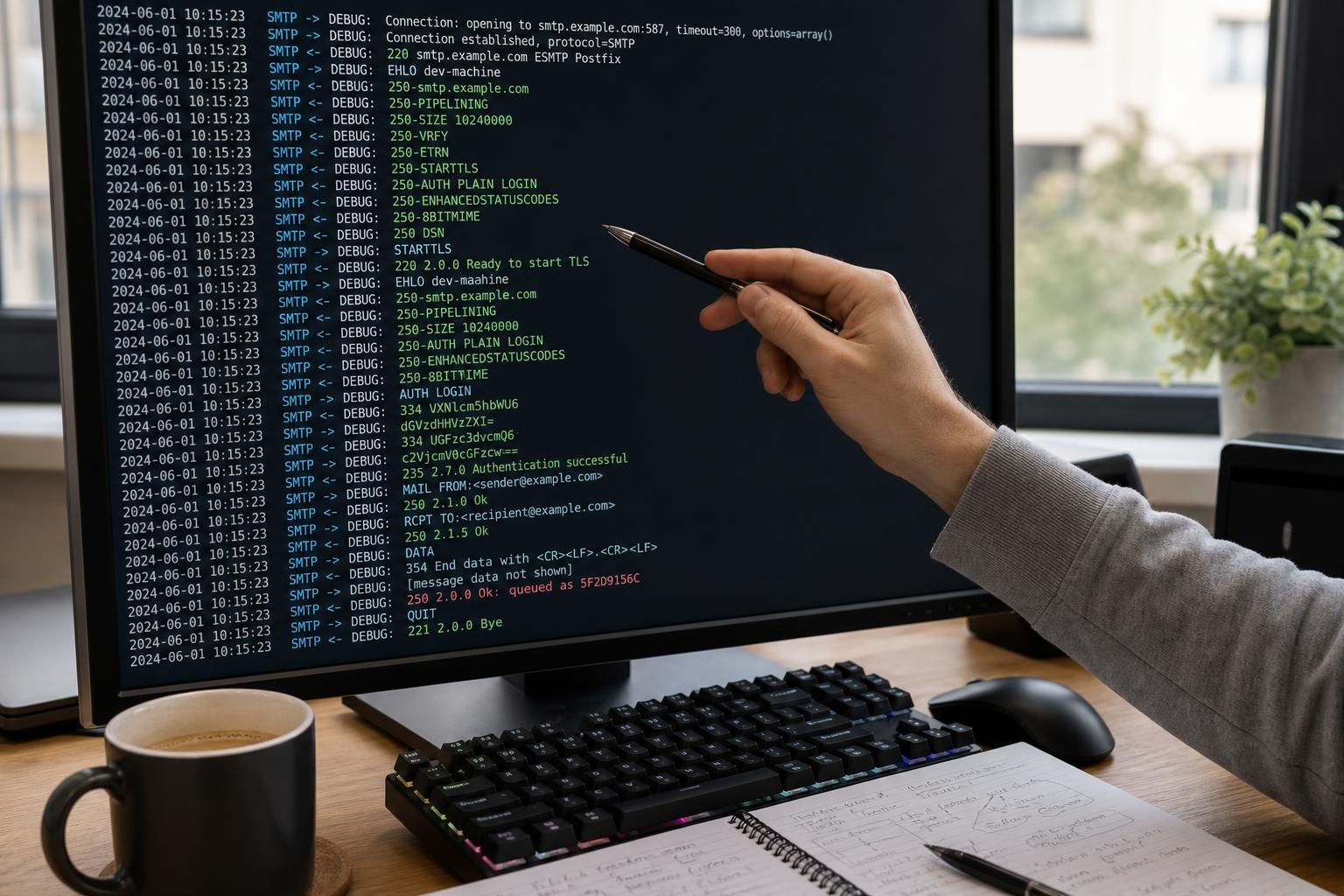
The PHPMailer SMTPDebug output line by line offers an invaluable window into the detailed communication between the client and the SMTP server during email transmission attempts. Understanding this output helps administrators and developers to precisely identify and address email sending issues. At its core, SMTPDebug in PHPMailer logs the SMTP conversation sequences, including commands sent to the server and responses received, thus revealing the nuances of SMTP protocol interactions in real-time.
On the protocol level, SMTPDebug captures the dialogue defined by RFC 821 (and its successors) where the client establishes a connection, authenticates, negotiates security parameters, and sends mail envelopes. This output reveals each phase of communication, from initial connection setup to final message transmission or error occurrence, providing clues to pinpoint failures in authentication, network connectivity, handshake, or server configuration.
Careful line-by-line reading of PHPMailer SMTPDebug output decodes these protocol signals and plays a crucial role in troubleshooting complex mail delivery problems in modern systems that often integrate PHPMailer for SMTP operations. It helps distinguish where exactly the SMTP conversation breaks down, illuminating whether it’s a credentials problem, network timeout, TLS negotiation failure, or other factors that interrupt smooth mail flow.
- PHPMailer: a popular PHP library for sending emails using SMTP.
- SMTPDebug: logging mechanism to trace SMTP command and response exchanges.
- SMTP protocol: email transmission standard defining client-server interactions.
- Line by line output: granular capture of the dialogue between PHPMailer and SMTP servers.
- Debugging Email: process of analyzing SMTPDebug output to resolve mailing issues.
How to Enable and Interpret PHPMailer SMTPDebug Output for Effective Troubleshooting
The statement Reading PHPMailer SMTPDebug Output Line by Line first necessitates enabling the debug level to capture detailed SMTP exchanges. This is done by setting the SMTPDebug property on the PHPMailer instance. By default, PHPMailer’s debug logging is off (SMTPDebug = 0), producing no output.
To unlock the verbose output, the debug level is set typically between 1 and 4. For example, assigning SMTPDebug = 2 outputs client commands alongside server responses, representing the most balanced and pragmatic level for troubleshooting.
Higher levels (3 and 4) add increasingly fine-grained connection diagnostics and protocol detail, but often overwhelm with volume unless diagnosing deep-starttls or connection establishment issues.
This debugging data is displayed line by line, showing SMTP commands such as HELO, EHLO, AUTH LOGIN, MAIL FROM, RCPT TO, and server replies like 250 OK, 535 Authentication failed. Each line helps developers visually parse where the transaction succeeds or fails.
Confirming that debug output is active involves sending a test email after setting SMTPDebug as shown below:
| Step | Action | Verification |
|---|---|---|
| 1 | Set $mail->SMTPDebug = 2; before sending |
Ensure debug output appears on send attempt |
| 2 | Call $mail->send(); to trigger SMTP communication |
Observe detailed line-by-line SMTP command and server response logs |
| 3 | Check for SMTP error codes or success acknowledgments | Determine communication success or specific failure point |
Using this method, administrators grasp the underlying SMTP conversations that control email transmission with precision, enabling efficient isolation of issues or confirmation of server responsiveness.
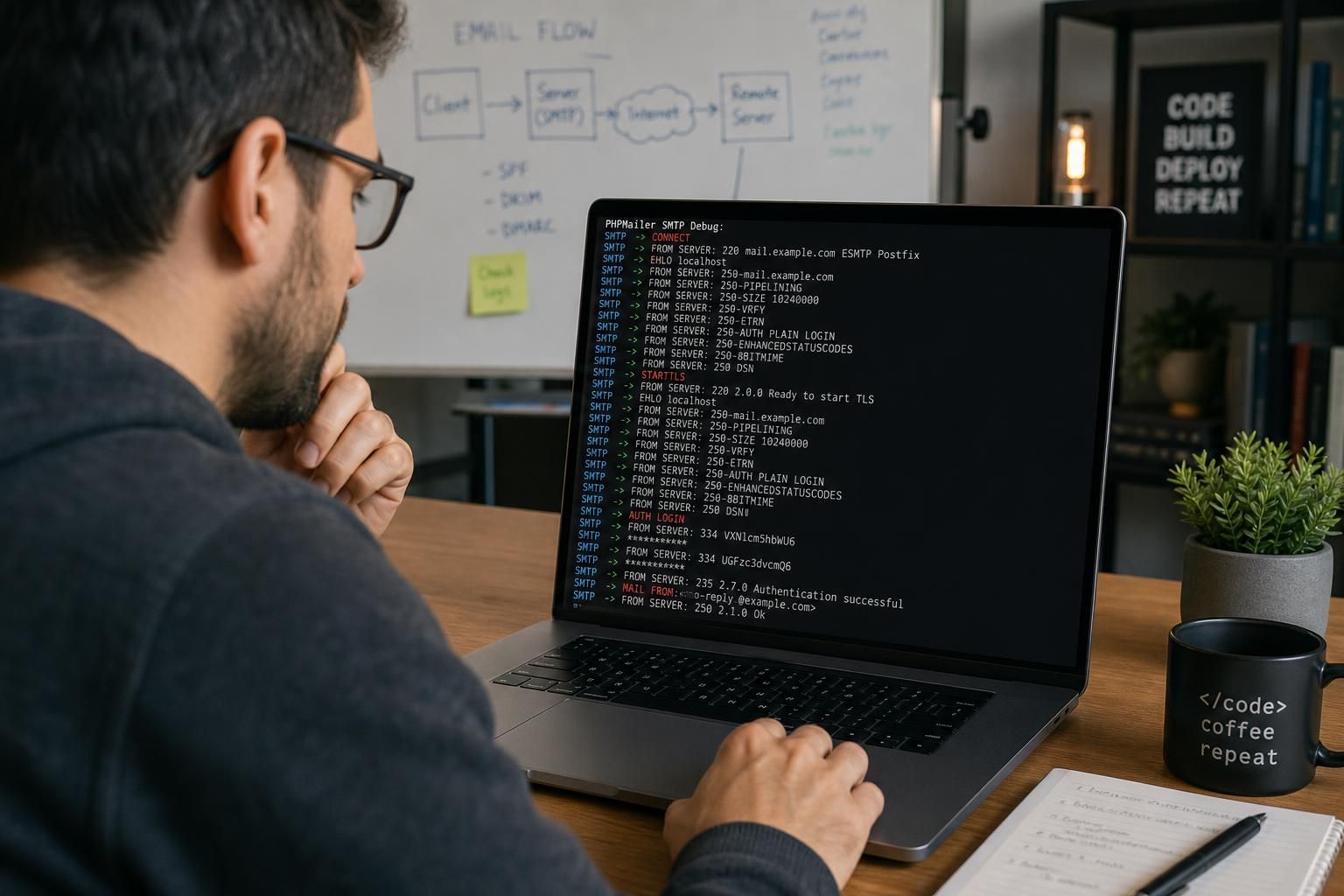
Authentication Failures Identified in PHPMailer SMTPDebug Logs and How to Verify Them
Authentication failures are common root causes revealed in PHPMailer SMTPDebug output when the server rejects the credentials provided by the client. The debug lines typically include a command like AUTH LOGIN followed by response codes such as 535 5.7.8 Authentication credentials invalid or 534 5.7.9 Authentication aborted.
To confirm authentication failure as the cause of an email sending problem, scan the debug output for server responses starting with 5xx status codes, especially those referencing authentication or credentials. The client’s SMTPDebug output will document the exchange:
AUTH LOGINcommand sending username and password base64 encoded to the SMTP server.- Server rejection with
535 Authentication failedor similar.
Validation tests to distinguish authentication failure from other errors include:
- Verify that the SMTP username and password in PHPMailer match the server’s authoritative records.
- Test credentials manually by logging in through a known mail client or command-line SMTP tool such as
openssl s_client -connect smtp.example.com:465followed by SMTP auth commands. - Check for recent password changes, account lockouts, or multi-factor authentication requirements that might block the SMTP client.
- Ensure that PHPMailer is configured with
$mail->SMTPAuth = true;to enable authentication.
Only when the debug output shows server denial upon credential submission can authentication failure be pinpointed as the definitive cause. Other error types manifest distinctly, so focusing on these 535 or 534 SMTP codes in the SMTPDebug output lines is critical to isolate this root issue.
Network Connectivity Issues as Diagnosed Through SMTPDebug Lines in PHPMailer
Network problems affecting mail delivery reveal themselves in PHPMailer SMTPDebug output by either premature disconnection, absence of server greetings, or timed-out commands. Early SMTP phases involve establishing TCP connections to the SMTP server, typically on ports 25, 465, or 587.
Common network failure symptoms detectable in debug logs include:
- No response after
connect()command or no220SMTP banner from the server. - Timeouts and socket exceptions when PHPMailer attempts to handshake or send commands.
- Errors indicating connection reset or refused connections.
How to confirm network cause from debug output distinctly:
- Observe the absence of server greetings, such as
220 smtp.example.com ESMTP Postfixline, which indicates no server response. - Check if the debug output ends prematurely at the connection phase with errors indicating inability to reach the server.
- Compare connectivity with ping or telnet tests against the SMTP host and port externally.
- Utilize network diagnostic tools like
tracerouteornetstatto inspect network routes and firewall blocks.
Identifying network issues through line by line SMTPDebug reading allows teams to address firewall rules, DNS failures, or intermediary proxy problems that obstruct SMTP connections. This testing differentiates network failures clearly from authentication or TLS errors prevalent in the SMTP exchange steps following connection.
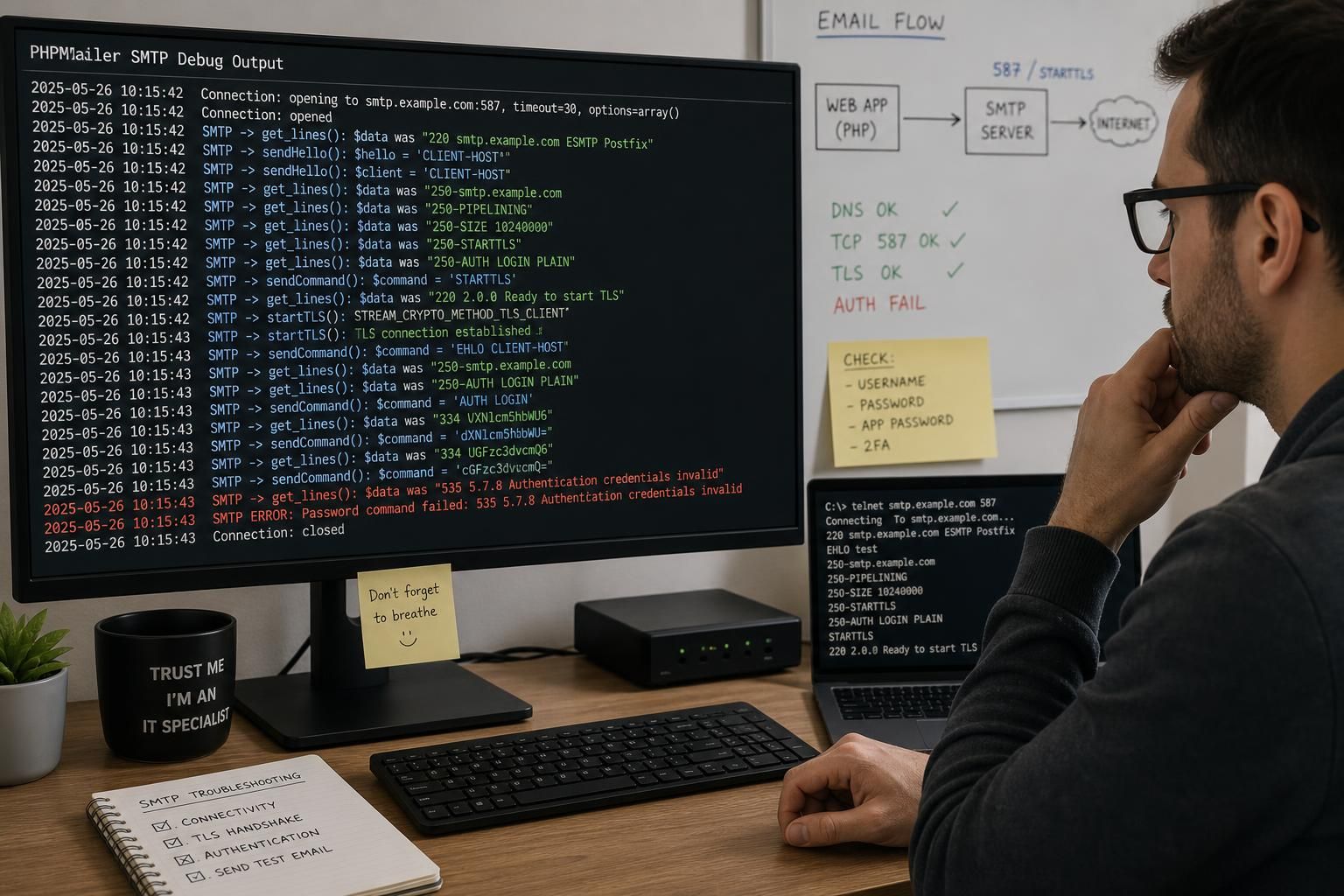
STARTTLS and TLS Handshake Failures in SMTP Debug Output: How to Differentiate and Test Them
At the protocol level, many SMTP servers require encrypted connections using STARTTLS or direct TLS for secure mail transfers. PHPMailer’s SMTPDebug output reveals crucial details about these encryption handshake attempts and failures.
When STARTTLS or TLS negotiation fails, common debug output signs include:
- Lines showing
STARTTLScommand followed by server responses with errors or unexpected terminations. - Error messages like
454 4.7.0 TLS not available due to temporary reasonor cryptographic handshake failures. - Timeouts during negotiation or premature connection closure after initiating STARTTLS.
Testing whether an error in the SMTPDebug output stems from TLS handshake problems involves:
- Confirming that the PHPMailer property
$mail->SMTPSecureis correctly set (e.g.,sslortls). - Validating that the SMTP server supports and advertises TLS capability in the
EHLOresponse. - Using external tools such as
openssl s_clientto test the TLS handshake independently:
openssl s_client -starttls smtp -connect smtp.example.com:587
If this command succeeds, the issue is likely in PHPMailer or its configuration rather than network transport. The debug output will also clarify if TLS ciphers or certificates are rejected by the server.
Distinguishing TLS handshake failures from authentication or network issues in SMTPDebug involves recognizing that the error occurs immediately after STARTTLS command lines and before login commands, whereas authentication errors occur later in the conversation. Observing these specific line patterns helps pinpoint the failure mode effectively.
Common Failure Modes When PHPMailer SMTPDebug Output Doesn’t Reveal the Root Issue
While PHPMailer’s SMTPDebug output extensively logs SMTP conversations, some failure modes persist that escape simple line-by-line diagnosis:
- Intermittent connectivity issues: Network flaps or transient DNS failures may sporadically disrupt SMTP sessions without consistent debug error patterns.
- Anti-spam or relay restrictions: SMTP servers may silently drop or defer mail if your IP address is blacklisted, or relay permissions are misconfigured, yielding vague debug lines.
- Email content filtering: Some SMTP servers reject messages based on payload or attachment content, yet SMTPDebug output shows successful transmission.
- Firewall or security appliances: Environmental layers may interfere with SMTP traffic after connection, appearing as cryptic socket closures or timeouts in debug logs.
- Server-side policy changes: Updates in SMTP server policies, such as mandatory OAuth or DMARC rules, can block mail despite seemingly correct SMTP dialogues.
In these scenarios, standard SMTPDebug output should be supplemented with server-side mail logs, network captures, and system monitoring tools for comprehensive troubleshooting.
| Failure Mode | Description | Diagnostic Approach |
|---|---|---|
| Intermittent connectivity | Fluctuating network conditions causing sporadic SMTP session failures | Monitor network stability and use repeated tests over time |
| Relay restrictions | Server refusing relay for unauthorized IPs or users | Check SMTP relay policies, IP whitelisting, and authentication settings |
| Content filtering | Server rejecting emails based on content or attachments | Review message content, test with simplified emails, check spam filters |
| Firewall interference | Security devices blocking or modifying SMTP traffic post-connection | Inspect firewall logs and perform packet captures |
| Policy enforcement | Server-side changes requiring new authentication or encryption methods | Consult SMTP server documentation and update client settings accordingly |
For intricate SMTP problems that persist beyond conventional SMTPDebug line-by-line analysis, refer to advanced diagnostics in the PHPMailer SMTPDebug reference article.

What does SMTPDebug level 2 provide in PHPMailer?
SMTPDebug level 2 outputs both the messages sent by the client and the responses received from the SMTP server, offering a balanced and detailed view of the SMTP communication useful for most troubleshooting scenarios.
Can PHPMailer SMTPDebug reveal authentication issues?
Yes, PHPMailer SMTPDebug clearly logs authentication attempts and server responses, making it straightforward to identify incorrect credentials or authentication failures during the email sending process.
How can I test TLS handshake problems indicated in SMTPDebug output?
You can test TLS handshake issues by using external tools such as ‘openssl s_client’ to independently verify server TLS support and confirm whether PHPMailer configuration or the network causes failure.
What should I do if SMTPDebug output does not clarify the email sending problem?
If SMTPDebug output does not reveal the root cause, investigate server-side mail logs, network and firewall settings, relay policies, and possible spam filtering that could interfere with email delivery.
Is it safe to leave SMTPDebug enabled in production?
No, it is important to disable SMTPDebug when not troubleshooting. As the debug output can disclose sensitive information and impact performance.
